Install and activate
macOS DMG installation
Install the SpearX application from the supplied macOS disk image.
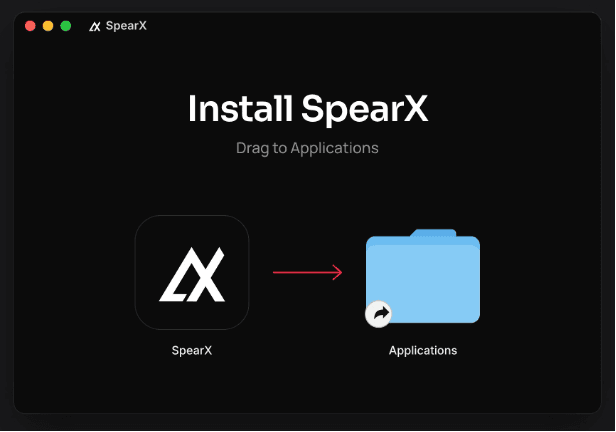
The supplied macOS release is distributed as a disk image with a drag-to-Applications installation flow.
Compare the downloaded file and checksum with the authorized release record.
Open the supplied .dmg file. Confirm the SpearX name and branding.
Drag SpearX to the Applications folder.
Open SpearX from Applications and verify the displayed version and login endpoint.
Do not bypass a macOS security warning. Confirm the package signature and delivery source with CyberSpear support before proceeding.
This guide documents installation of the supplied macOS application. It does not claim that macOS is supported as a remote YARA or Sigma scan target.