Operate SpearX
Scan filters and exclusions
Reduce detection noise with result exclusions and Sigma event filters without losing governance.
SpearX provides two different tuning mechanisms under Settings.
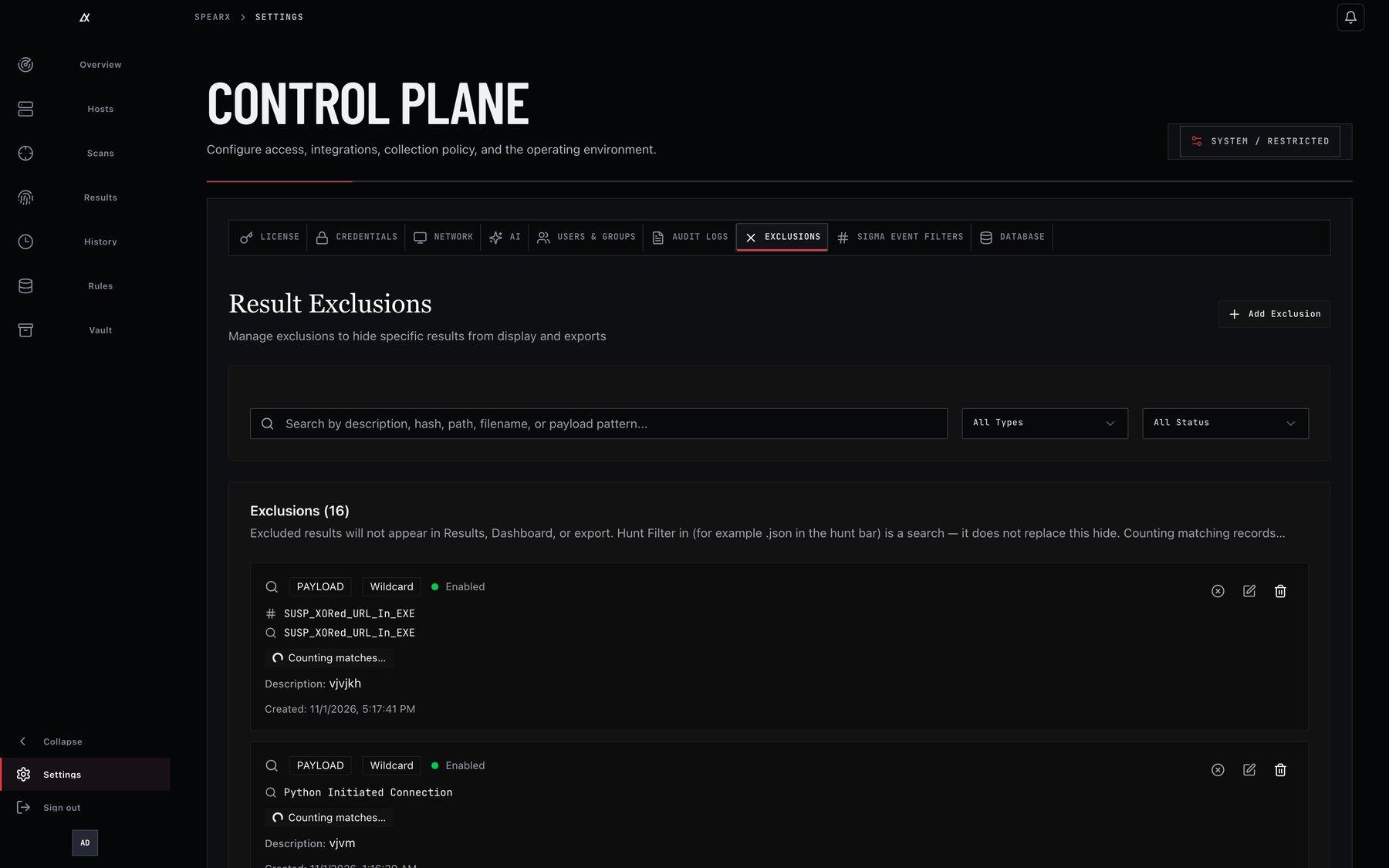
Result exclusions
Result exclusions hide known-good detections by payload, rule, host, or path. Wildcards are supported by the interface. Excluded results are removed from the default Results view, dashboard, and exports, but remain recoverable when the exclusion is disabled.
Sigma event filters
- Include adds keyword conditions to Sigma hunts.
- Exclude drops matching noisy events at ingest.
- Exclude takes precedence when the same event matches both.
- Indicators can be entered individually or imported from a text or CSV file.
Safe tuning workflow
- Preserve the original query and export before tuning.
- Document the business reason, owner, scope, and expiry for each exclusion.
- Prefer narrow host, rule, path, and payload conditions.
- Test against a known-positive example.
- Review the audit log and remaining/raw counters after activation.
An overly broad exclusion can hide malicious activity. Never use an exclusion merely to reduce a high count without validating representative detections.