Operate SpearX
Overview and dashboard
Use the Overview, Results, detection detail, MITRE mapping, verdicts, and Artifact Vault.
Overview
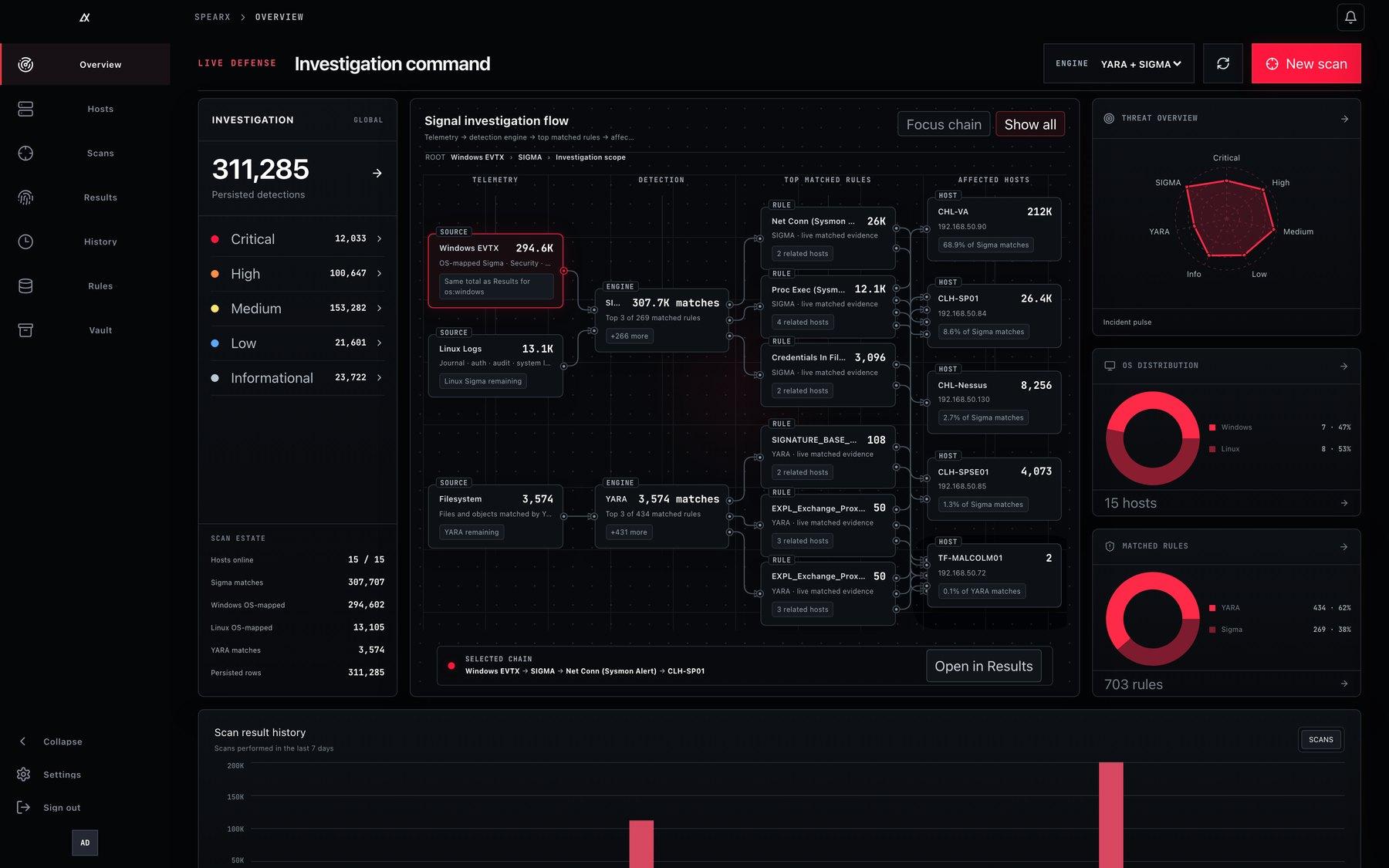
Overview summarizes persisted detections by severity and connects telemetry sources, detection engines, matched rules, and affected hosts. Counts in screenshots are demonstration data.
Results
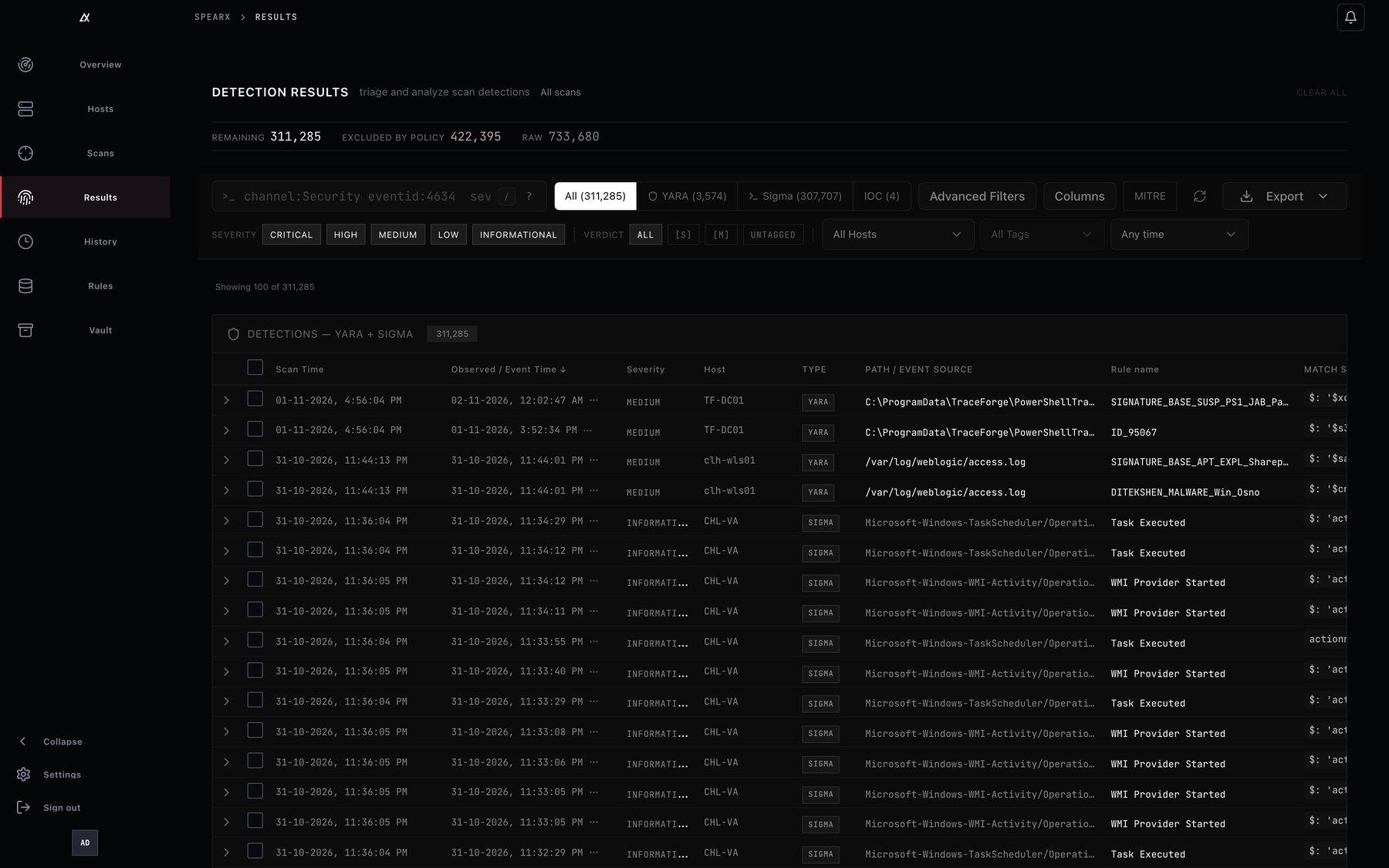
Results is the central triage console. You can:
- Switch between All, YARA, Sigma, and IOC detections.
- Search with hunt terms such as
channel:Security. - Filter severity, verdict, host, tag, and time range.
- Configure advanced filters and visible columns.
- Open MITRE ATT&CK coverage.
- Export the filtered result set.
Triage workflow
- Scope Results to one scan from History when investigating a campaign.
- Filter Critical and High findings first, then review lower severities in context.
- Open a detection and review the scan record, host, rule, path or event source, event time, and matched strings.
- Assign a verdict only after validating the supporting evidence.
- Add investigation notes and export the filtered evidence set.
Artifact Vault
The Vault links collected files to their source host, original path, scan, result, rule, severity, collection time, remote timestamps, SHA256, and MD5.
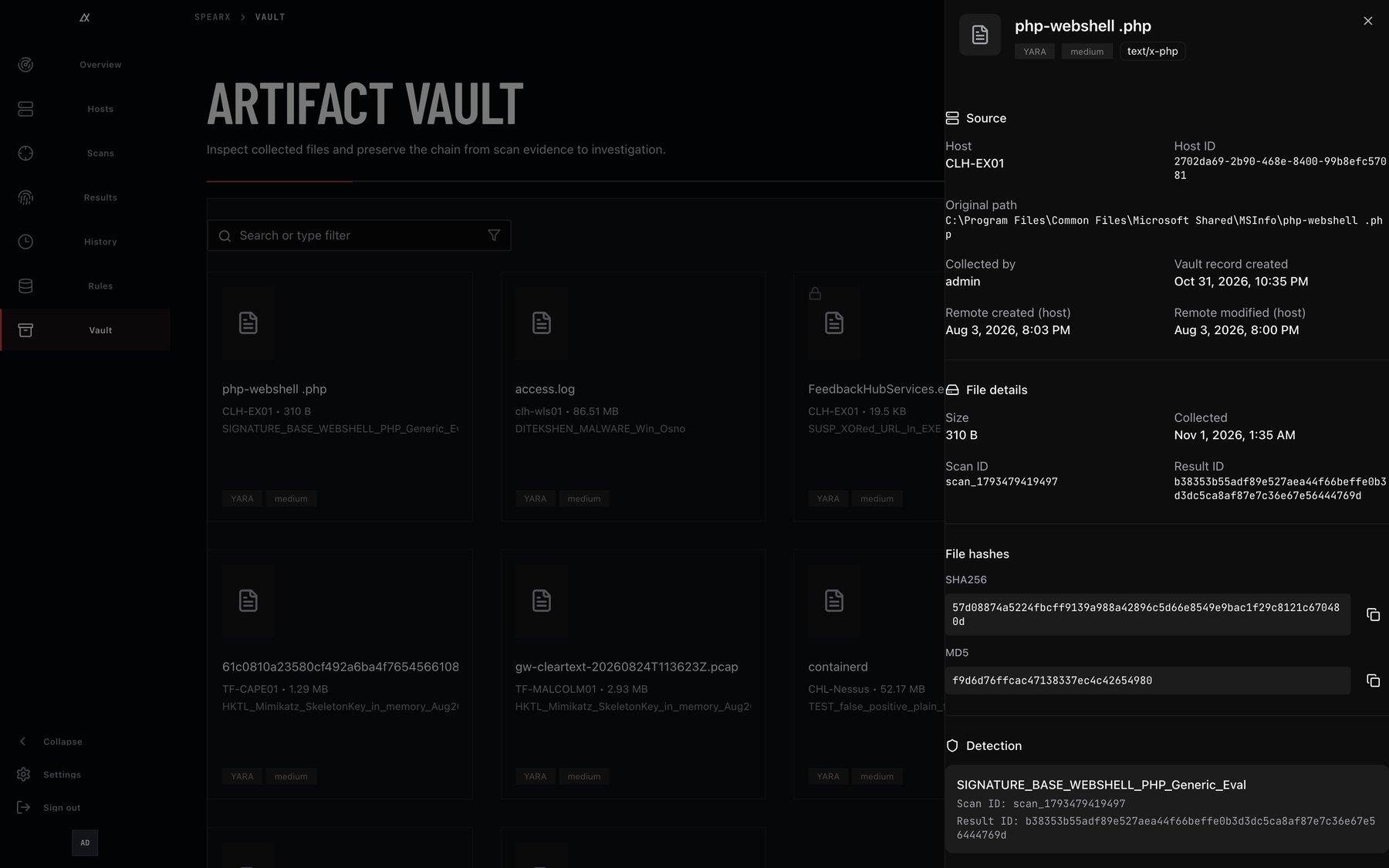
Download, quarantine, and delete actions affect evidence handling. Follow your incident-response authorization and chain-of-custody procedure before using them.